


finished my head unit and backup camera install, tips and tricks here!


Thread Starter
|
Member
Joined: Sep 2017
Posts: 51
 finished my head unit and backup camera install, tips and tricks here!
firstly would like to thank everyone on this board who helped and for the old instructions and info! me personally, i can do electrical stuff but i would say im a noob as i cant really solder or understand relays etc. i remember i wanted to start last year and had no clue where to start and i always thought that every stereo had different sizes so i spent weeks trying to find stereos that other members had used and then one day someone told me that i can use any stereo as long as its double din, it will fit fine. that made my life so much easier ahha. so just remember, if your a noob like me, pick any name brand double din. dont go china imo, because they dont last and secondly why would you waste all your time installing when it could just break or have inferior sound quality.
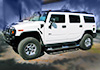
my truck is a 2003 hummer h2 with factory bose and i wanted a new head unit so this is what i did:
Firstly my setup/tools needed:
Pioneer AVH-1500NEX paid $260 Cad got a great deal on it for a new hu with car play
GMOS-04 paid $130 cad
ASWC-1 paid $80.50
Metra 95-2009 Double Din Kit - $17.60 CAD
Metra 40-GM10 $9.70
Butt connectors $10
Kenwood CMOS 230 $168 Cad
Tools needed:
basic socket set
crimp tool
basic screw driver set
torx t15
strong cutting pliers or whatever you call them
my journey: started off disassembling the dash and getting the olde stereo out which took 20 mins tops for a noob with basic skills like me, pulled out the old stereo and now got to work
first started off by cutting threw all the excessive plastic at where the old stereo used to be to give me more space for my new setup as the gmos and harness wiring will need some space.
make sure you cut behind the 4x4 switches as thats the most important to give you space to fit the gmos and all wiring, try to break as much plastic as you can find and whatever makes sense to you to give you space, when you look straight ahead you will see some black plastic that the stereo used to sit on i think, i broke that too, so now i had tons of space.
i then started by wiring the head unit harness, make sure you get butt connectors or you know how to solder, if you get butt make sure you get a crimp tool. and dont use molex or any other household connectors.
the wiring took me about an hour or so because i was so confused with some of the wires but after it made sense.
i started off with the easy wiring like the red, yellow, reverse etc, and then when i got those ones done i started with the ones that made less sense to me because gmos calls it illumination and my pioneer calls it lighting i think, so i spent some time double checking that those two go together.
the hard part was actually when pioneer doesnt label the speaker wire colors in the manual, so i spent like 30 mins so confused reading the manual and trying to watch youtube videos until i google pioneer speaker wire colors and found someone who made a picture with every wire color labeled. once i found that, i tackled the speaker wires easily and i noticed that they were color coded with the gmos so that was easy but i had to double check. when you use the crimp tool, make sure you crimp in one swift motion rather then crimping 3-4 times as that could damage and ruin the integrity of the butt connector.
once i got that done, i went to test it in my vehicle and everything worked fine! however the sound quality was horrible at high volumes, but then i did some research and found out that my headunit is more powerful then the factory amplifier so thats why when i go near or to max volume, i get distortion. i then played with the gmos screw and set the audio to what i liked. my volume on my pioneer goes to 40, and at 30-35 its clear and loud after setting with the gmos screw, any further i get distortion, so im happy with this now!
i setup the aswc in a minute with the auto program and was good to go,
i then started assembling the metra dash kit and i couldnt even assemble the faceplate to the side tabs without cutting, which was really wierd, so i got my cutters, and got the faceplate and the side pieces assembled, and then i broke off the tabs i didnt need and got it so it would align perfectly with my screw holes in my truck.
i left the head unit like that, and then went at the backup camera, i got my wire and started from the head unit, i pulled the wire down under around the gas pedal area and then went up the driver side door pillar, and then followed along the roof liner all the way to the back, tucking it in and hiding it with a screw driver, and then once at the back i opened up the back rear door, and routed it thru a hole and got it in there, and then around the glass window and into my license plate area.
backup camera is super easy to do once you get started! only took 1 hour tops.
once that was done, i spliced the onstar mic beause i wanted to keep the oem look and got a friend to solder to a 2.5mm jack and then connected it to the head unit, i think finised up my wiring and had to redo the butt connector for the ground, and red acc because i had to tap the backup camera in there.
i also tested out the included pioneer mic and it was clear so you can always use that one too!
at the end i was originally going to route the carplay usb into the center console but got lazy and put it in the glove box aha
putting everything back together was easy, i put all the wiring behind the 4x4 switches with the gmos and the other modules and got the hu seated nicely and then put everything back together!!
all in all was super easy and recommend everyone to do it
all in all the process took about 4-5 hours but time flies when you doing it
lastly sorry for bad grammar and sentences, english isnt my first language
my truck is a 2003 hummer h2 with factory bose and i wanted a new head unit so this is what i did:
Firstly my setup/tools needed:
Pioneer AVH-1500NEX paid $260 Cad got a great deal on it for a new hu with car play
GMOS-04 paid $130 cad
ASWC-1 paid $80.50
Metra 95-2009 Double Din Kit - $17.60 CAD
Metra 40-GM10 $9.70
Butt connectors $10
Kenwood CMOS 230 $168 Cad
Tools needed:
basic socket set
crimp tool
basic screw driver set
torx t15
strong cutting pliers or whatever you call them
my journey: started off disassembling the dash and getting the olde stereo out which took 20 mins tops for a noob with basic skills like me, pulled out the old stereo and now got to work
first started off by cutting threw all the excessive plastic at where the old stereo used to be to give me more space for my new setup as the gmos and harness wiring will need some space.
make sure you cut behind the 4x4 switches as thats the most important to give you space to fit the gmos and all wiring, try to break as much plastic as you can find and whatever makes sense to you to give you space, when you look straight ahead you will see some black plastic that the stereo used to sit on i think, i broke that too, so now i had tons of space.
i then started by wiring the head unit harness, make sure you get butt connectors or you know how to solder, if you get butt make sure you get a crimp tool. and dont use molex or any other household connectors.
the wiring took me about an hour or so because i was so confused with some of the wires but after it made sense.
i started off with the easy wiring like the red, yellow, reverse etc, and then when i got those ones done i started with the ones that made less sense to me because gmos calls it illumination and my pioneer calls it lighting i think, so i spent some time double checking that those two go together.
the hard part was actually when pioneer doesnt label the speaker wire colors in the manual, so i spent like 30 mins so confused reading the manual and trying to watch youtube videos until i google pioneer speaker wire colors and found someone who made a picture with every wire color labeled. once i found that, i tackled the speaker wires easily and i noticed that they were color coded with the gmos so that was easy but i had to double check. when you use the crimp tool, make sure you crimp in one swift motion rather then crimping 3-4 times as that could damage and ruin the integrity of the butt connector.
once i got that done, i went to test it in my vehicle and everything worked fine! however the sound quality was horrible at high volumes, but then i did some research and found out that my headunit is more powerful then the factory amplifier so thats why when i go near or to max volume, i get distortion. i then played with the gmos screw and set the audio to what i liked. my volume on my pioneer goes to 40, and at 30-35 its clear and loud after setting with the gmos screw, any further i get distortion, so im happy with this now!
i setup the aswc in a minute with the auto program and was good to go,
i then started assembling the metra dash kit and i couldnt even assemble the faceplate to the side tabs without cutting, which was really wierd, so i got my cutters, and got the faceplate and the side pieces assembled, and then i broke off the tabs i didnt need and got it so it would align perfectly with my screw holes in my truck.
i left the head unit like that, and then went at the backup camera, i got my wire and started from the head unit, i pulled the wire down under around the gas pedal area and then went up the driver side door pillar, and then followed along the roof liner all the way to the back, tucking it in and hiding it with a screw driver, and then once at the back i opened up the back rear door, and routed it thru a hole and got it in there, and then around the glass window and into my license plate area.
backup camera is super easy to do once you get started! only took 1 hour tops.
once that was done, i spliced the onstar mic beause i wanted to keep the oem look and got a friend to solder to a 2.5mm jack and then connected it to the head unit, i think finised up my wiring and had to redo the butt connector for the ground, and red acc because i had to tap the backup camera in there.
i also tested out the included pioneer mic and it was clear so you can always use that one too!
at the end i was originally going to route the carplay usb into the center console but got lazy and put it in the glove box aha
putting everything back together was easy, i put all the wiring behind the 4x4 switches with the gmos and the other modules and got the hu seated nicely and then put everything back together!!
all in all was super easy and recommend everyone to do it
all in all the process took about 4-5 hours but time flies when you doing it
lastly sorry for bad grammar and sentences, english isnt my first language

Senior Member
Joined: Jan 2017
Posts: 2,320
From: SC
Excellent!! Glad to hear you got it all figured out. I know it was a lot of things to get and figure out but in the end some of it you just have to dive in and when you have things apart you just see it. Like cutting some of the plastic behind the upper part of the 4WD buttons which opens up a perfect size spot to stuff the GMOS and ASWC modules with some of the extra wiring bulk that is added. Also, yes the factory amp does have its limitations. It is not a competition ultra high power setup but with some careful adjustment of the GMOS you can get it pretty close to getting the most of out it that is possible which is surprisingly pretty darn good and loud even with the factory Bose speakers. The factory little Bose sub even does a halfway decent job of adding a nice bit of bass.
Mine is also a 2003 also. I'm personally happy with the volume but would not mind a tiny bit more bass so I might eventually look at adding one of the slim self amplified subs under the back seat. I really want to still be able to easily fold the seat down though and not give up much of any interior space though. While the H2 is a fairly massive SUV, there is surprisingly little storage space inside. As I mentioned before, you might need to mess with the mic settings on the stereo to get it just right, on my Kenwood there is a mic gain setting but I'm not sure on the Pioneer. I was just really happy to not have some aftermarket mic hanging out anywhere.
Mine is also a 2003 also. I'm personally happy with the volume but would not mind a tiny bit more bass so I might eventually look at adding one of the slim self amplified subs under the back seat. I really want to still be able to easily fold the seat down though and not give up much of any interior space though. While the H2 is a fairly massive SUV, there is surprisingly little storage space inside. As I mentioned before, you might need to mess with the mic settings on the stereo to get it just right, on my Kenwood there is a mic gain setting but I'm not sure on the Pioneer. I was just really happy to not have some aftermarket mic hanging out anywhere.

Junior Member
Joined: Nov 2019
Posts: 13
Power for cameras
hnijhar and MixManSC, where did you tap into power behind the dash for the camera? Also, I would love to tie the 12v power adapters on the dash to an ignition controlled source so they don't stay on when I shut the hummer off. Any ideas of a source for ignition/acc behind the dash? I'm pulling the onstar out, maybe I can use the power that goes to it? Thanks much!
FYI, I have a 2007 H2.
FYI, I have a 2007 H2.
Junior Member
Joined: Nov 2019
Posts: 13
hnijhar and MixManSC, where did you tap into power behind the dash for the camera? Also, I would love to tie the 12v power adapters on the dash to an ignition controlled source so they don't stay on when I shut the hummer off. Any ideas of a source for ignition/acc behind the dash? I'm pulling the onstar out, maybe I can use the power that goes to it? Thanks much!
FYI, I have a 2007 H2.
FYI, I have a 2007 H2.
 I found a post from Mix in 2018 suggesting to tap into the midBEC. Now to locate a good ground point, and I'm all set. Mix, I gotta tell you, your posts are super informative...thanks!
https://www.hummerforums.com/forum/h...h-39272/page2/
Senior Member
Joined: Jan 2017
Posts: 2,320
From: SC
You can find pigtails on eBay cheap to plug into the MBEC (IP Relay Block). https://www.ebay.com/sch/i.html?_fro...gtail&_sacat=0
Depending on where you plug it you might have to trim some plastic off the connector which is easy and if you know how, you can extract the wires on the terminals and move them to different spots on the connector if needed as well to better suit your needs. The attached should be helpful. On the MBEC the C7 connector is generally used for adding a trailer brake controller on the full size GM trucks and SUV's but on the H2's that one is also used for the optional off road lights as well and really can be used for whatever. C7 does have both power and ground. The attached should be helpful. You can also go to the GM Upfitter site and pull various PDF's (select a full size SUV or truck for the same generation like 03-06) and you can often find more specs on some of the other connections that might be present but unused for other optional provisions like snowplow prep packages. https://www.gmupfitter.com/pdflists/view/6
Depending on where you plug it you might have to trim some plastic off the connector which is easy and if you know how, you can extract the wires on the terminals and move them to different spots on the connector if needed as well to better suit your needs. The attached should be helpful. On the MBEC the C7 connector is generally used for adding a trailer brake controller on the full size GM trucks and SUV's but on the H2's that one is also used for the optional off road lights as well and really can be used for whatever. C7 does have both power and ground. The attached should be helpful. You can also go to the GM Upfitter site and pull various PDF's (select a full size SUV or truck for the same generation like 03-06) and you can often find more specs on some of the other connections that might be present but unused for other optional provisions like snowplow prep packages. https://www.gmupfitter.com/pdflists/view/6
Last edited by MixManSC; Jan 3, 2020 at 07:22 AM.

@hnijhar how do you like your alpine so far? Would you recommend it?
Sorry for being off-topic. I'm looking for a good stereo and can't make my mind up which one is the best.
There are so many aftermarket stereos that it's hard to find a good one. Many of them have one digit difference in their name. Anyways I've been reading reviews on the nets and they are all hype. Most of them downplay the negatives and hype features like 7" as if it would be that important. I've found a different blog and I've set my heart on the alpine 2550. The thing I liked about this blog is that it says it how it is. No sugar coating no BS. This review is a bit critical. It has highlighted some flaws that put me on the fence. What do you say?
Any tips?
Sorry for being off-topic. I'm looking for a good stereo and can't make my mind up which one is the best.
There are so many aftermarket stereos that it's hard to find a good one. Many of them have one digit difference in their name. Anyways I've been reading reviews on the nets and they are all hype. Most of them downplay the negatives and hype features like 7" as if it would be that important. I've found a different blog and I've set my heart on the alpine 2550. The thing I liked about this blog is that it says it how it is. No sugar coating no BS. This review is a bit critical. It has highlighted some flaws that put me on the fence. What do you say?
Any tips?

Senior Member
Joined: Nov 2019
Posts: 110
The GMOS or one of the harness can’t remember has power where you can tap in your backup camera too,
and for the stereo I’m not an audio guy, I went with pioneer, just go with what is in your price range, j feel like unless your upgrading your bose speakers you don’t notice a diff between pioneer alpine etc. Just make sure you go with name brand that’s a must
and for the stereo I’m not an audio guy, I went with pioneer, just go with what is in your price range, j feel like unless your upgrading your bose speakers you don’t notice a diff between pioneer alpine etc. Just make sure you go with name brand that’s a must
Junior Member
Joined: Nov 2019
Posts: 13
I just got my Kenwood installed with front and rear cameras, and I'm very happy w the performance. Below is my parts list and I did a few other things like replacing the 12v cigarette lighter adapters with USB and controlling them w/ accessory voltage. Crutchfield has been great to work with and I took the lazy way out and had them connect up the harness to the RP5. Last thing I did was to take advantage of the Onstar microphone based on feedback from MixManSC as well as replacing the Onstar unit with the pocket from eBay (the guy in Belgium that 3d prints them).
Kenwood Excelon DDX6906S
PAC RP5-GM11
Metra 95-2001, 1990-up GM Kit
Kenwood Excelon DDX6906S
PAC RP5-GM11
Metra 95-2001, 1990-up GM Kit

Thread
Thread Starter
Forum
Replies
Last Post