When you click on links to various merchants on this site and make a purchase, this can result in this site earning a commission. Affiliate programs and affiliations include, but are not limited to, the eBay Partner Network.
Hummer H2For those who like a little more gleam to their Hummer, the H2 offers a similar rugged look as the H1, but as a lower cost, and with more added features, making it almost a massive luxury SUV.
First off anyone who says anything along the lines of “just buy new sensors it’s cheap and easy” I will find you and drag you by your toenail behind my h2 down ga-400.
second there are some things that I know won’t work (for me at least)
1. Buying sensors and putting them in a tube - they need to be rotating to work.
2. TPMs emulator - expensive and my receiver doesn’t work anyway.
3. tech ii or have the dealer do it - it is literally impossible. The option does not exist within tech ii or any dealer scan tool to disable this.
4. Just replace the receiver - it’s under the dash which is very brittle. It will never go back together again.
that being said I wanted to run this by a few people before I tried it. What I’m going to do is posted on this forum…
https://www.saabcentral.com/threads/how-to-disable-tpms-in-2007-9-3ss-yes-it-can-be-done.250950/
it basically consists of re-adding the bcm and not checking the TPMs equipped box along with setting it as “eu” instead of “us.”
i just wanted to run this by someone who might know more than me about doing stuff like this. Does this look like it could work? Will I risk bricking my bcm? Any reason NOT to try it?
I want TPMs gone. I don’t want to deal with sensors, lights, receivers, messages on the dash. I’m done with it. I check my tires often anyway.
TPMS resides within the RCDLR module and communicates with the BCM via serial data
I've never tried to disable the TPMS function per your posting but if the TPMS is an option for your specific year truck and not associated with other functions of the module then you should be able to do it per the directions.
I looked my truck up by the VIN for specific calibrations and it looks as if TPMS was not an option but standard equipment for 2008 which will not allow for it to be de-selected when programming.
If you could find a VIN for a truck that did not have TPMS in 2008 then you should be able to do it
selecting EU as the country may allow you to do it but I've never done it so can not offer any direct experience with this.
After reading the article I don't think it will work for your truck, as you just stated it could possibly shutdown the RCDLR module if your successful at the programming
as stated I don't think it will work as the TPMS is not a option but looks to standard equipment and will not allow you to de-select during programming.
typically when programming you will be presented with a list of options to select but only able to choose from a list of optional equipment to add in while the standard equipment will be added with out your input.
HP Tuners offers a long list of codes that can be turned off, I'll take a look and see if there are any options for the TMPS, I don't think there will be but let me look
TPMS resides within the RCDLR module and communicates with the BCM via serial data
I've never tried to disable the TPMS function per your posting but if the TPMS is an option for your specific year truck and not associated with other functions of the module then you should be able to do it per the directions.
I looked my truck up by the VIN for specific calibrations and it looks as if TPMS was not an option but standard equipment for 2008 which will not allow for it to be de-selected when programming.
If you could find a VIN for a truck that did not have TPMS in 2008 then you should be able to do it
selecting EU as the country may allow you to do it but I've never done it so can not offer any direct experience with this.
Neal
The thing that has me hopeful is I think I remember seeing a video of a Canadian h2 that did not have tpms. But that was a looong time ago.
After reading the article I don't think it will work for your truck, as you just stated it could possibly shutdown the RCDLR module if your successful at the programming
as stated I don't think it will work as the TPMS is not a option but looks to standard equipment and will not allow you to de-select during programming.
typically when programming you will be presented with a list of options to select but only able to choose from a list of optional equipment to add in while the standard equipment will be added with out your input.
HP Tuners offers a long list of codes that can be turned off, I'll take a look and see if there are any options for the TMPS, I don't think there will be but let me look
Neal
In terms of shutting down the rcdlr would it hurt to try? As in if I flash it and my keyless stops working, would flashing it back as intended fix it, or could it possibly brick the whole thing?
I don’t believe hptuners would be able to do anything as it only communicates with the pcm and fscm, but I would love to be proven wrong.
I like keyless entry too, to my home! I have keypad/remote to my gdo & keyless entry door handles to the inside my home, yet I never lock my HUMMER. I don't like carrying keys, and only need 1 key to drive to my destination, and back home + I can unlock the drivers door, if needed. Btw, my tires still have plenty tread for this winter & closing in on 10yrs, yet no air loss, and I'm waiting for the TPMS sensors to fail. I will pull the antenna and monitor on my own! When a tire decides to fail, I will replace all 4! My home is secured & no reason for me to worry about my 17yr old HUMMER unlocked in the driveway.
You should be able to effectively remove TPMS be deleting the RPO option UJ6 from the option list using a Tech2 and TIS2000 software. There is no scan tool I know of that will just delete "TPMS" or directly remove the RPO code without re-flash.
The process the requires deletion of the RPO code from the code table. This will require a dump of your BCM software, then editing with TIS2000 removing the option from the table, then reloading the upgraded table back into the vehicles BCM.
This is not recommended for the faint of heart but it can be done and most dealers can't even remember how to do it. If my memory serves me you will need a Tech2, Laptop running TIS2000, a USB to DB-9 adapter and the RJ-45 Dongle for the tech 2.
Personally it's a pain in the *** to setup and do and there's a lot of potential issues but if you like to go boldly there your have it. If you decide to go that route let me know I will see if I can dig up some notes on the last time it did this on my old Tahoe.
You should be able to effectively remove TPMS be deleting the RPO option UJ6 from the option list using a Tech2 and TIS2000 software. There is no scan tool I know of that will just delete "TPMS" or directly remove the RPO code without re-flash.
The process the requires deletion of the RPO code from the code table. This will require a dump of your BCM software, then editing with TIS2000 removing the option from the table, then reloading the upgraded table back into the vehicles BCM.
This is not recommended for the faint of heart but it can be done and most dealers can't even remember how to do it. If my memory serves me you will need a Tech2, Laptop running TIS2000, a USB to DB-9 adapter and the RJ-45 Dongle for the tech 2.
Personally it's a pain in the *** to setup and do and there's a lot of potential issues but if you like to go boldly there your have it. If you decide to go that route let me know I will see if I can dig up some notes on the last time it did this on my old Tahoe.
I would feel ok doing that I just would have to figure out how to actually retrieve the files from the bcm, how to edit them, and flash them back on. I might take a look at that too. I just wonder why there’s no guide anywhere on how to do this on at least ONE gmt900 truck.
Also does anyone know how to actually get to the rcdlr? As in how the dash comes apart. It might be worth parts-cannoning one just for the hell of it if I can get in there without the dash shattering. I have a damn rattle in there too I could get rid of.
Last edited by Gavin Costigan; Oct 3, 2023 at 12:00 AM.



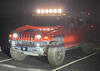
 Getting rid of TPMS for good in an 08/09