When you click on links to various merchants on this site and make a purchase, this can result in this site earning a commission. Affiliate programs and affiliations include, but are not limited to, the eBay Partner Network.
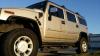
Hummer H2For those who like a little more gleam to their Hummer, the H2 offers a similar rugged look as the H1, but as a lower cost, and with more added features, making it almost a massive luxury SUV.
whats up everyone , I had been thinking of a radio upgrade with the backup camera option and honestly wanted to see if i could avoid having to run a actual cable to the back of the H2 . I think this set up may help me at least to get some signal going to the headunit with not alot of work to do . I must Mention that i actually like the cable for better signal but this is wayyy better to set up .
I have a wireless one on the H2 I just got and HATE IT! The latency is crazy. At a roll you will move 4' before your camera updates and shows you a "current" pic. Not sure if some are better but mine sucks. I used to build drones for years and the analog rate was almost instant compared to this thing. All you have to pull is one single signal wire, power and ground you get at the back so I don't see the issue of being old school.
I have a wireless one on the H2 I just got and HATE IT! The latency is crazy. At a roll you will move 4' before your camera updates and shows you a "current" pic. Not sure if some are better but mine sucks. I used to build drones for years and the analog rate was almost instant compared to this thing. All you have to pull is one single signal wire, power and ground you get at the back so I don't see the issue of being old school.
i think this is almost like a FPV signal kind of deal . Im almost sure i may just use this for a front camera ..
I went with a wired one. Installed it inside the hatch (never fogs up, etc) at the very top of the window. Works great with no lag. From the outside you cannot even see it is there. It is a license plate style bracket. I just used VHB tape and stuck it to the plastic (did not really want to put screws in but I will if it ever falls) and it has stayed fine for over 6 months now. I do get a semi transparent grey line from the defrost grid but it really is not bothersome at all and since the camera is inside it will stay in great shape and never get wet or anything. Running the wire through that flex boot was a bit of a pain but not terrible....
Last edited by MixManSC; Dec 31, 2020 at 08:43 AM.
The upper line near the top of the image is the most visible but you really hardly notice it. The lower ones are barely even noticeable, I also have it so that if I have a hitch on I can see the hitch for backing up to a trailer. Also when in reverse my Kenwood puts the on screen parking lines up (on Kenwoods you can turn them totally off and you can also adjust them for width and distance which I did) and you can also press a button to turn the camera view on while driving which is nice if you are pulling a trailer and want to take a peek at things. The camera I used has them built in too but you can clip a wire loop to disable them. This is the camera I bought
Definitely go wired, pulling a line front to back on the Hummer was one of the easiest cars I've done, plenty of space under the sill panels which just pop off anyway.



 wireless back up camera setup